Features
What the app does, screen by screen. Everything below runs on your device; signing in is optional and only adds sync.
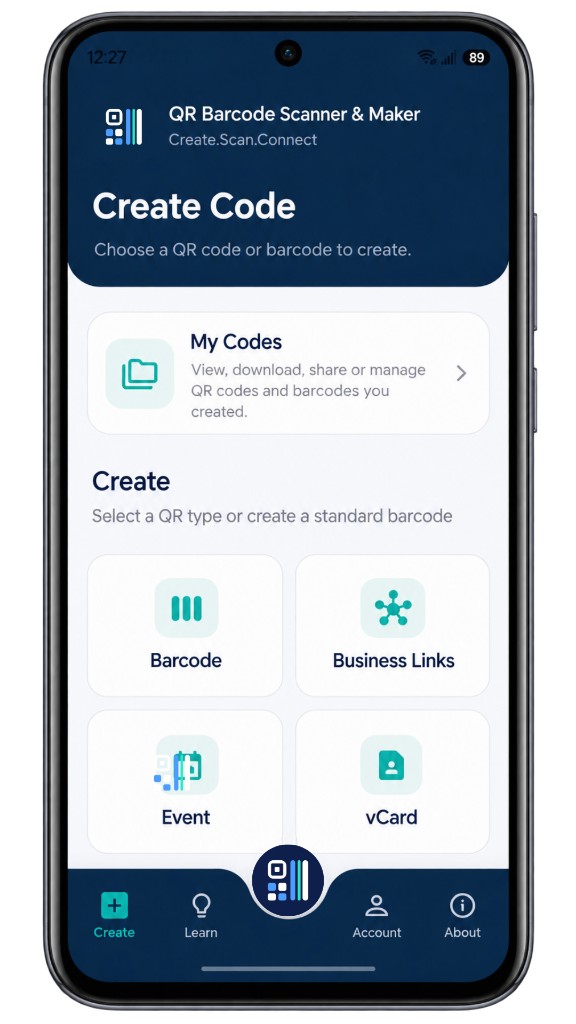
01 — Create Code
Create any kind of QR code
Start from Create Code and choose what the code should do: open a website, share plain text, join a Wi-Fi network, start a WhatsApp chat, save a vCard, add a calendar event, open a Google Form, link to a social profile or a business-links page, or drop a pin on a map. Each type has a purpose-built form, and the content is encoded on your device.
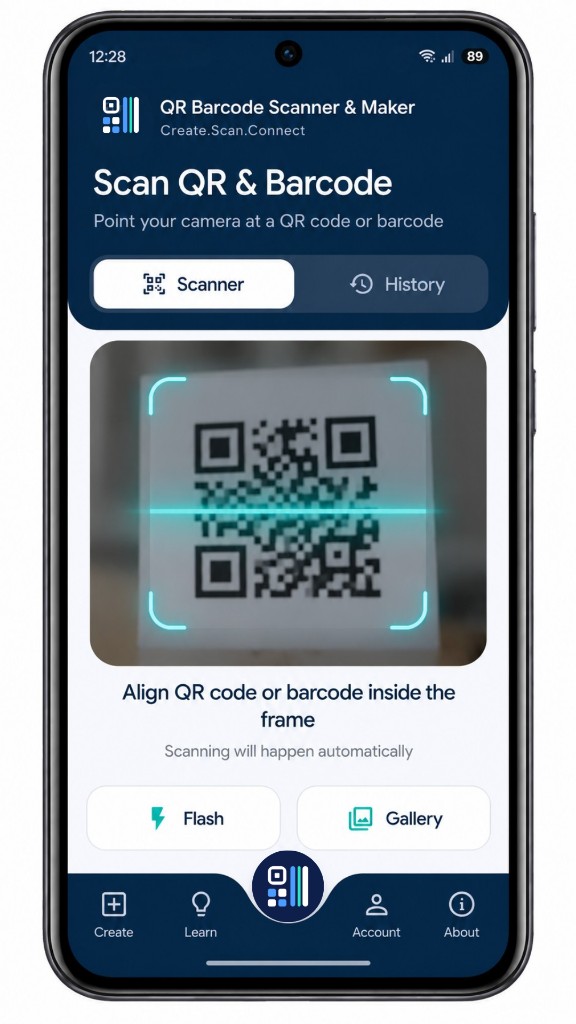
02 — Scan QR & Barcode
Scan from the camera or a photo
Point the camera at any QR code or barcode and it is read automatically, with a flash toggle for low light. Have a code in a screenshot or photo? Open it from your gallery instead. Recognition runs on the device, and camera frames are never sent anywhere.
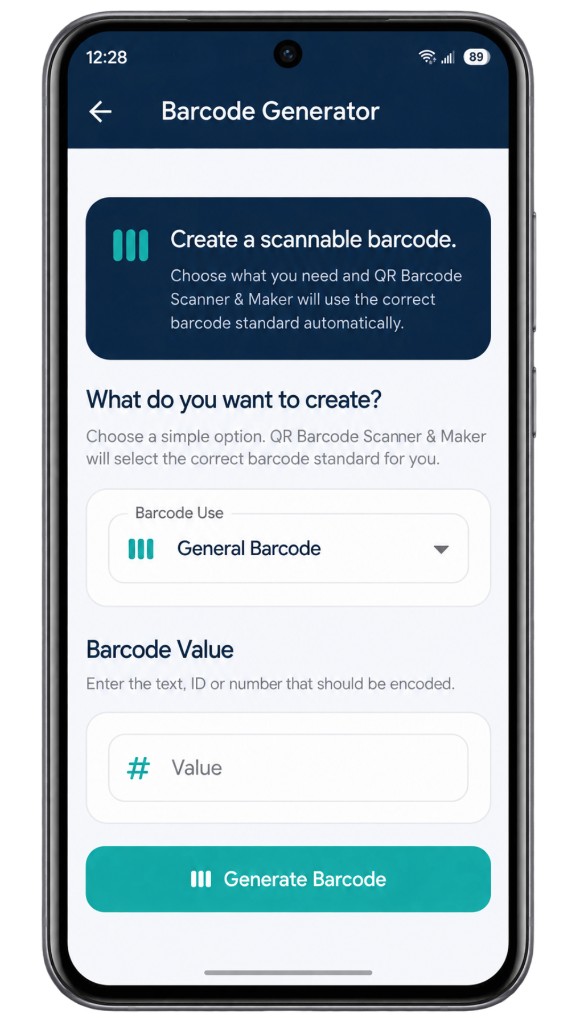
03 — Barcode Generator
Generate standard barcodes
Tell the app what the barcode is for — a general label, a retail product, a shipping carton — and it selects the correct standard for you: Code 128, Code 39, EAN, UPC or ITF-14. Enter the value, generate, then save or share.
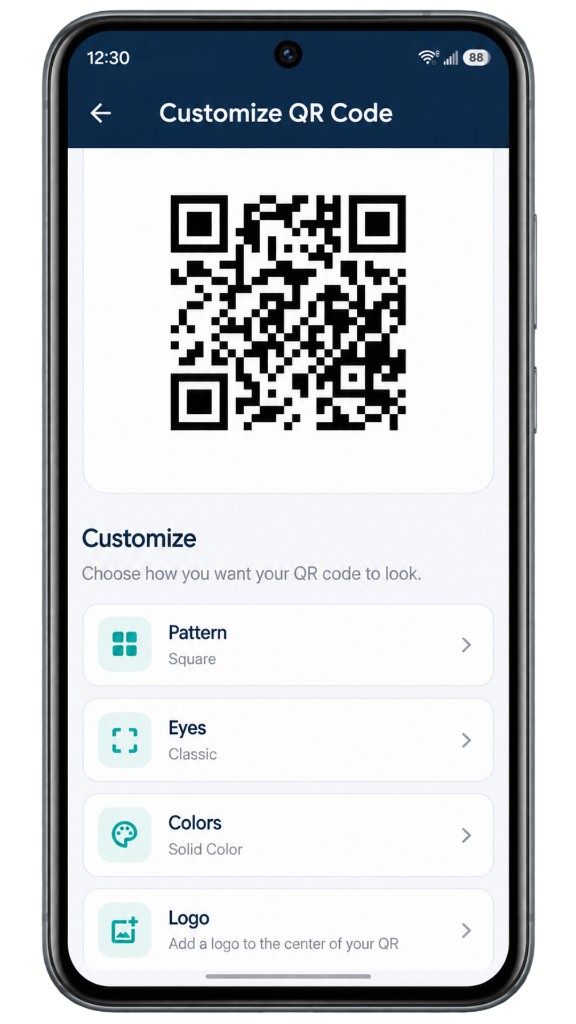
04 — Customize QR Code
Make it look like yours
Change the module pattern, restyle the corner eyes, set the colours and place a logo in the centre. The preview updates as you go, and any logo you add is read from your phone and stays there.
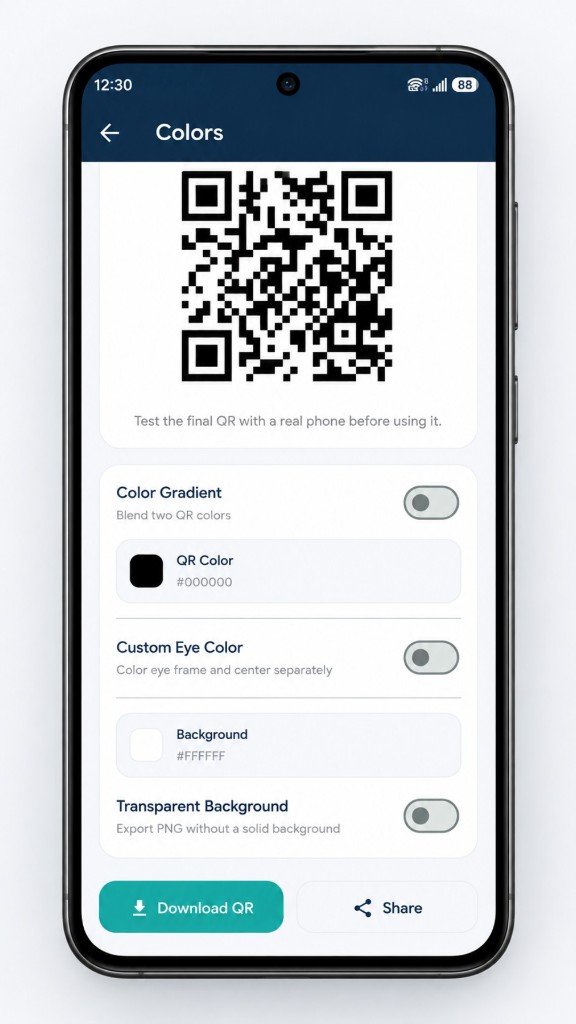
05 — Colors
Colour, then export
Pick a QR colour or blend two into a gradient, colour the eye frames separately, set a background or export a transparent PNG for print and layout work. Download to your phone or share directly. The app reminds you to test the final code with a real camera before you print it.
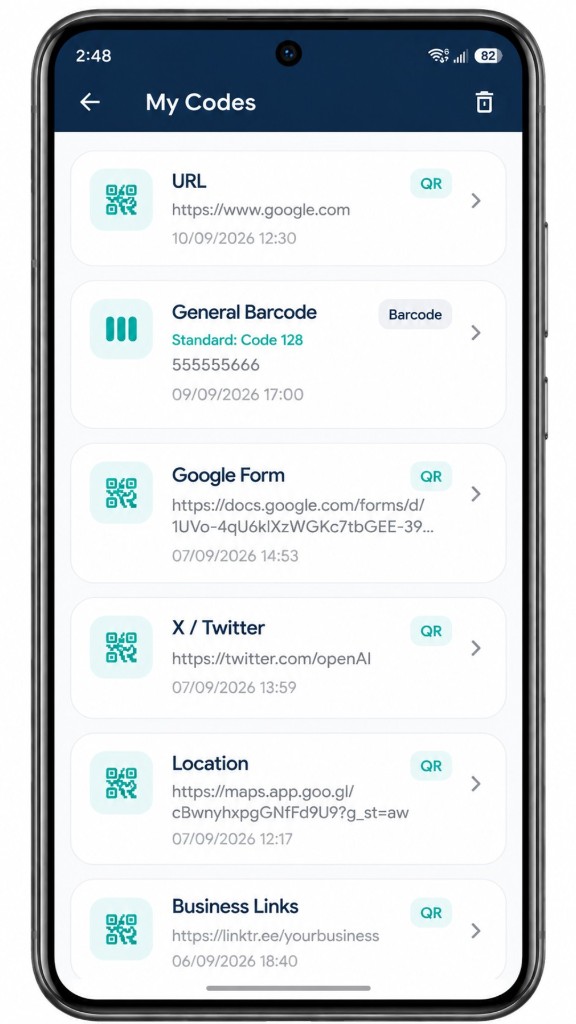
06 — My Codes
Everything you make, kept on your phone
My Codes lists every QR code and barcode you have created, with its type, value and date, ready to reopen, download, share or delete. It works without an account. Sign in only if you want the list synced across devices — scan history is never synced.